
You probably know the moment. Three browser tabs open, three half-finished trials, and every YouTube review contradicting the last one, while the actual jobs still need running. Picking the best CRM for pressure washing businesses has somehow become harder than the work itself.
Let us put our cards on the table before anything else. We run a GoHighLevel white label for pressure washing clients, so we have a stake in this comparison. We are writing it honestly anyway, because two of these three tools solve problems GoHighLevel does not, and pretending otherwise would be obvious to anyone who has used them.
Here is what you will get: what each platform is actually for, real 2026 pricing checked against the vendors’ own pages, and what a working setup looks like inside a real Connecticut pressure washing company.
What Is the Best CRM for a Pressure Washing Business?
The best CRM for a pressure washing business depends on your bottleneck. Jobber and Housecall Pro are the strongest for scheduling, quoting and invoicing. GoHighLevel is the strongest for lead capture, follow-up and reviews, usually through an agency white label. Many growing companies end up pairing the two categories.
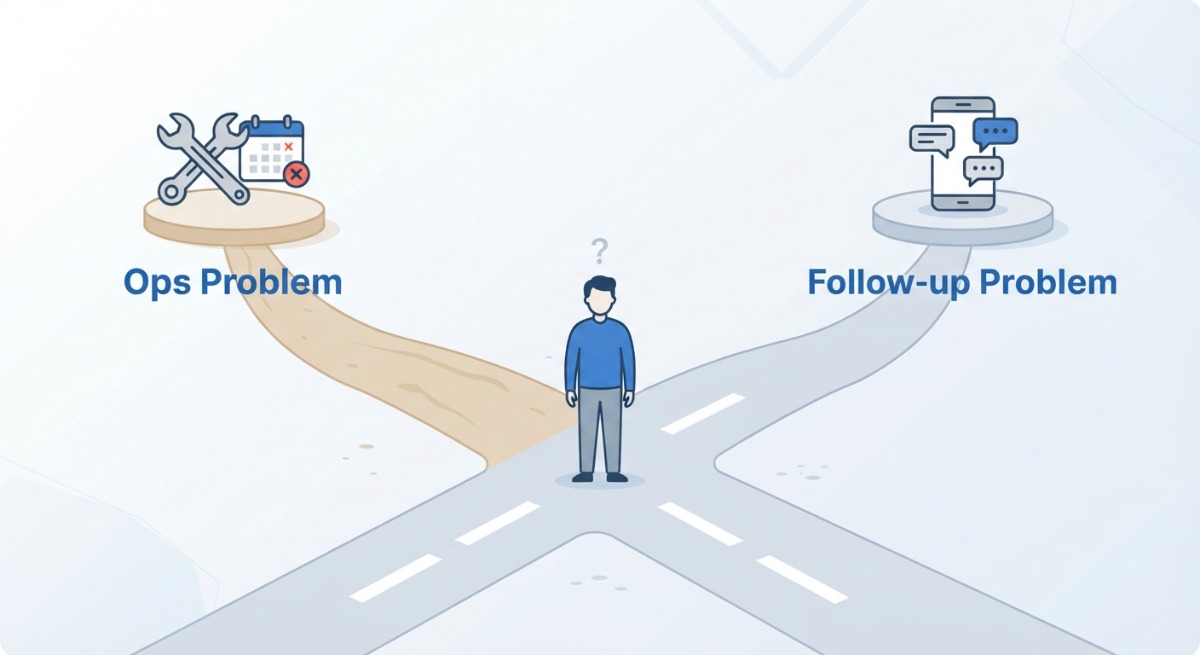
That conditional answer is not a dodge. It is the whole point of this article. Most owners search for a CRM without knowing which of two very different problems they are trying to solve, and the tool that fixes one does little for the other. So before any feature list, let us diagnose.
First, an Honest Category Check: These Are Not Three Versions of the Same Tool
Every ranking listicle lines these three up as if they compete head to head. They mostly do not, and knowing why saves you months of paying for the wrong thing.
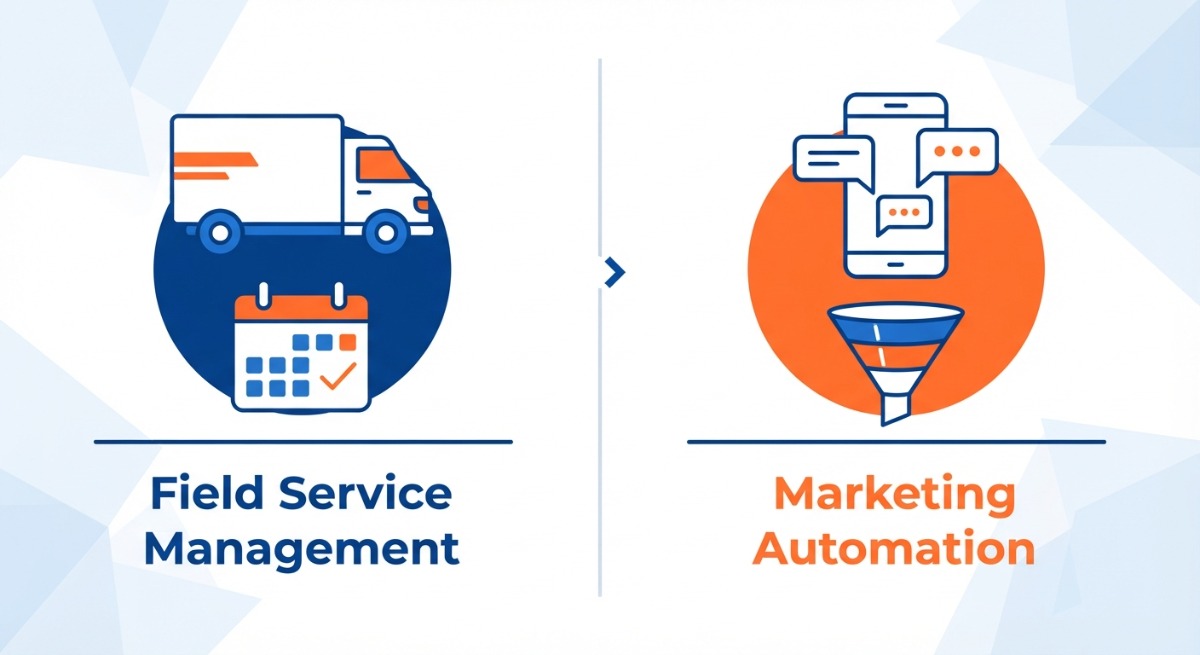
Field Service Management: Jobber and Housecall Pro
Jobber and Housecall Pro are field service management platforms. They are built to run operations: the calendar, dispatching crews, building quotes, sending invoices, taking payments, and keeping customer records attached to jobs. Their customer database earns them the CRM label, but the heart of both products is running work you have already won.
Marketing and Automation Platform: GoHighLevel
GoHighLevel is a marketing and automation platform. It is built to run growth: capture every lead from every source, text back missed calls instantly, chase every estimate that goes quiet, request a review after every job, and hold every contact in a visible pipeline. It earns the CRM label from the pipeline side, but its heart is winning work you have not booked yet.
The Question That Picks Your Category
So ask yourself one question. Where is the money actually leaking? If jobs are slipping through scheduling cracks, invoices go out late, and the whiteboard failed on the first busy Saturday, you have an ops problem, and the field service tools are your answer. If the phone rings while you are on a ladder, leads never get a callback, and estimates die in silence, you have a follow-up problem, and the automation platform is your answer. Fix the one that is bleeding first.
GoHighLevel for Pressure Washing: Strengths, Weaknesses and Real 2026 Pricing
What GoHighLevel Does Well
GoHighLevel’s job is making sure no lead ever falls on the floor. Missed call text back, so the homeowner who hit voicemail gets an instant text instead of calling your competitor. SMS and email follow-up sequences that chase estimates automatically. Visual pipelines showing every lead’s stage. Automated review requests after completed jobs. Booking calendars, a unified inbox for calls, texts, emails and social messages, plus funnels and forms for ad campaigns. And unlimited contacts on every tier, which matters more each year you operate.
That missed-call scenario deserves one more sentence, because it is the single most expensive leak we see. The estimate that goes to voicemail at 11 AM is often booked with a competitor by that same afternoon. Answering it automatically is the same speed-to-lead problem our AI receptionist attacks on the phone side.
Where It Falls Short for a Washing Company
Honesty time. GoHighLevel has no purpose-built dispatch, no job costing, and no field crew workflows that come close to Jobber or Housecall Pro. It also demands real configuration before it earns its keep. From our own build experience, a properly configured subaccount means workflows, calendars, pipelines and compliant texting all set up, and that is days of work for someone who knows the platform, not an afternoon of clicking around a trial.
GoHighLevel Pricing in 2026
Per GoHighLevel’s pricing page at the time of writing: Starter at $97 per month (about $81 per month on annual billing), Unlimited at $297 per month (about $248 annual), and Agency Pro at $497 per month (about $414 annual). Annual billing saves roughly 17%.
Budget for usage costs on top: SMS from about $0.0079 per segment, calls from about $0.014 per minute, email from about $0.001 per send, plus one-time A2P registration fees for compliant business texting. Typical small business usage runs about $10 to $50 per month.
Here is the key sentence of this whole section, though. Most pressure washing owners should not buy GoHighLevel directly at all.
The White Label Route Most Owners Do Not Know About
GoHighLevel licenses agencies to resell the platform under their own brand, as a white label. The agency configures an industry-specific subaccount, with the missed call flows, estimate sequences and review automations already built, and the owner just uses a simple app under the agency’s name. You get the outcome without the setup burden, usually bundled with marketing services, and often starting cheaper than a direct subscription.
Our own white label runs at app.mr-websolutions.com, and our pressure washing growth system starts from $90 per month. If you want to see what a configured subaccount looks like, we will show you ours on a free growth call.
Jobber for Pressure Washing: Strengths, Weaknesses and Real 2026 Pricing
What Jobber Does Well
Jobber is, in our view, the most polished operations experience in this comparison for residential recurring work, which is exactly what most pressure washing is. The scheduling calendar is clean. The quote-to-invoice flow is smooth, with quotes homeowners can approve online. The client hub gives customers a portal for approvals, payments and history. The mobile app is strong, QuickBooks sync works, and automated appointment reminders come standard.
If your pain is office chaos, Jobber will feel like a deep breath. We say that as a company that does not sell it.
Where It Falls Short
Marketing automation is not Jobber’s native strength. Lead nurture, missed call recovery and long follow-up sequences are shallow until the top tiers, and even then they trail a dedicated marketing platform. Per-user pricing also stacks up as the crew grows.
Jobber Pricing in 2026
Per Jobber’s pricing page at the time of writing: Core from $49 per month, Connect at $139 per month, Grow at $199 per month, and Plus at $499 per month, with plans including one user and additional users at $29 per month each. Annual prepayment cuts these substantially, and a promotional discount was running as we wrote this, so check the live page.
One real-world note: many washing companies add field documentation tools (photo apps and similar) on top, which commonly adds $16 to $79 per month to the actual stack cost.
Housecall Pro for Pressure Washing: Strengths, Weaknesses and Real 2026 Pricing
What Housecall Pro Does Well
Housecall Pro is built around dispatch. If your day is routing crews between jobs, it shines: a strong mobile app the techs actually open, online booking for customers, payments, built-in review management, and GPS tracking plus QuickBooks sync from the mid tier. Its native review requesting deserves credit, since it covers part of what owners otherwise buy automation platforms for.
Where It Falls Short
The Basic tier is thin. No GPS tracking and no QuickBooks integration means most real businesses climb to Essentials before the software works the way the demo suggested. And like Jobber, its automation depth is fine for reminders but trails a dedicated marketing platform for lead capture and multi-step follow-up.
Housecall Pro Pricing in 2026
Per Housecall Pro’s pricing page at the time of writing: Basic at 79permonth(59 on annual billing) for 1 user, Essentials at 189permonth(149 annual) for up to 5 users, and MAX at 329permonth(299 annual) for up to 8 users, with additional users at $35 per month.
Our practitioner observation, from watching clients’ peers run it: most companies land on Essentials before the tool feels fully useful, so budget against that tier, not Basic.
GoHighLevel vs Jobber vs Housecall Pro: Side-by-Side Table
One line before the table: there are no affiliate links anywhere in this article, which you will find is rare in this comparison space.
| GoHighLevel | Jobber | Housecall Pro | |
| Built for | Lead capture and follow-up | Scheduling, quoting, invoicing | Dispatch and field operations |
| Scheduling and dispatch | Basic calendars only | Excellent | Excellent, dispatch-first |
| Quoting and invoicing | Basic | Excellent | Very good |
| Missed call text back | Native, core feature | Not a native strength | Not a native strength |
| Follow-up automation | Deep, multi-step | Light until top tiers | Light, reminder-focused |
| Review requests | Automated, native | Available on higher tiers | Native, built in |
| Contact limits | Unlimited on all tiers | Per-user pricing model | Per-user above included seats |
| Entry price | From $97/mo direct, less via white label | From $49/mo | From 79/mo(59 annual) |
| Realistic cost, 2 to 5 person crew | From about $90/mo white label, or $97 to $297 direct plus usage | About $139 to $199/mo plus extra users | About $149 to $189/mo |
| Standout weakness | No real dispatch or job costing | Shallow marketing automation | Thin Basic tier |
| Best fit | Lead leakage and follow-up problems | Residential recurring ops | Dispatch-heavy multi-crew ops |
Pricing researched from vendor pricing pages and industry sources at the time of writing. Software pricing changes often, so confirm current pricing with each vendor before buying.
Can You Use Jobber or Housecall Pro Together With GoHighLevel?
Yes, and many growing companies quietly run exactly this pairing. The field service platform runs the trucks: schedule, dispatch, invoices, payments. The automation platform runs the phones: lead capture, missed call text back, estimate chasing, review requests. Contacts pass between them through native integrations and Zapier-class connectors, and we have connected these stacks for clients, so we can confirm the plumbing works.
The honest cost note: pairing means two subscriptions, which real crews feel. That is exactly why the white label bundle exists as the budget-friendlier version of the same pattern. For a company whose scheduling needs are still simple, a configured white label covers the growth side from about $90 per month, and the dedicated ops platform can come later, when the ops pain actually arrives. Growing into the pairing beats paying for it prematurely.
What We Actually Run for a Real Pressure Washing Company
Enough theory. Here is the stack running right now for Mr-Suds Power Washing PROs in Newington CT, the client we use as our own testing ground before we recommend anything to anyone.
Mr-Suds runs on our GoHighLevel white label at app.mr-websolutions.com. The subaccount currently holds 474 contacts, built up from website forms, calls and ad leads across the Newington and Hartford CT market.
Follow one lead through it. A homeowner sees an ad or a reel, calls, and nobody can pick up because the crew is mid-job. The system texts them back instantly, so the conversation starts before they dial a competitor. Their details land in the pipeline automatically. An estimate goes out, and if it goes quiet, the follow-up sequence nudges them without anyone remembering to. The job gets done, and a review request goes out automatically, which is part of how the company reached a 5.0 rating across 39 reviews. The wider marketing system around it is described on our digital marketing for pressure washing companies in Connecticut page, and the review side speaks for itself on real client reviews.
Now the honest boundary, because this article promised one. Mr-Suds’ operational scheduling runs fine at owner scale, so the CRM has not had to replace a dispatch platform, and we will not pretend it did. A multi-truck operation with routing headaches might still add Jobber or Housecall Pro on top, and that would be the right call. The automation layer is what we can show working; it is not a claim that one tool does everything.
The Three Automations to Build First (Whatever Platform You Pick)
Whichever direction you go, even if it is a Jobber trial you start tonight, build these three flows first. Missed call text back, so no call dies in voicemail. An estimate follow-up sequence, because quotes that get chased politely get answered. A post-job review request, because reviews are the asset that keeps selling after the truck leaves. Content like reels can fill the top of this funnel too, which we covered in our guide to AI reels for pressure washing, but the three flows are what catch what the content creates.
Which CRM Should You Pick? The Decision in Four Scenarios
Solo operator, first season, tight budget? Start simple. A low-tier field service plan or a bundled white label system from roughly $39 to $90 per month beats spreadsheet chaos, and one saved job pays for it.
Booked solid but the office is chaos? That is ops pain. Trial Jobber and Housecall Pro for a week each with real jobs, and let whichever one your crew actually opens win.
Leads calling but jobs not booking? That is follow-up pain, and it is the gap a field service tool will not close. White label GoHighLevel gets the automation layer running fastest, without you building it.
Growing multi-truck operation? You have both problems, so run both categories: a field service platform for the trucks and an automation platform for the phones, integrated.
FAQ: Best CRM for Pressure Washing Businesses
What is the best CRM for a pressure washing business?
It depends on your bottleneck. Jobber and Housecall Pro are best for scheduling, quoting and invoicing. GoHighLevel is best for lead capture, automated follow-up and reviews, usually delivered through an agency white label. Diagnose whether your problem is operations or follow-up before you pay for anything.
Is Jobber or Housecall Pro better for pressure washing?
They are close. Jobber tends to win on quoting flow, client portal and ease of use for residential recurring work. Housecall Pro tends to win on dispatch, built-in review management and its mobile app. Trial both for a week with real jobs and let your crew decide.
Is GoHighLevel good for pressure washing companies?
Yes, for growth problems: it captures every lead, texts back missed calls, chases estimates and requests reviews automatically. It is not a field service tool, so it will not replace dispatch or job costing. Most owners get it configured through an agency white label rather than building it themselves.
How much does a CRM cost for a pressure washing business?
In 2026, entry plans run from about $49 to $97 per month across the main options. Realistic costs for a small crew land between about $90 and $250 per month once you are on a tier that actually works, before payment processing and SMS usage fees.
What is the difference between GoHighLevel and Jobber?
Jobber manages work you have already won: scheduling, quotes, invoices, payments. GoHighLevel wins you the work: lead capture, missed call text back, follow-up sequences, reviews and pipelines. They compete on the word CRM but solve different problems, which is why some companies run both.
Do I need a CRM if I am a one-truck operation?
You need a system, even a simple one. The moment quotes go unanswered or you forget a callback, you are losing real money. A low-tier plan or a bundled agency system from roughly $39 to $90 per month usually pays for itself with one saved job.
Can I use Jobber and GoHighLevel together?
Yes. A common setup uses GoHighLevel for lead capture, follow-up and reviews, and Jobber for scheduling and invoicing, connected through integrations. It works well, but it doubles subscriptions, so most companies grow into the pairing rather than starting with it.
Is there a contract, or can I cancel these tools anytime?
Jobber, Housecall Pro and GoHighLevel all offer monthly billing without long-term contracts on standard plans, with meaningful discounts for annual prepayment. Always confirm current terms on the vendor’s pricing page before subscribing, because plans and policies change.
See the CRM Running Before You Decide
The fastest way to understand the automation layer is to watch it work, not read another comparison. We will show you the exact missed call, estimate follow-up and review flows running live for a real pressure washing company, then audit what your current setup is leaking. If the honest answer is that Jobber or Housecall Pro fits you better, we will tell you that too.
Book a Free Growth Call
Or start with a free growth audit of your current lead flow.
MR Web Solutions, Hartford CT. Call us at +1 860 255 1070.