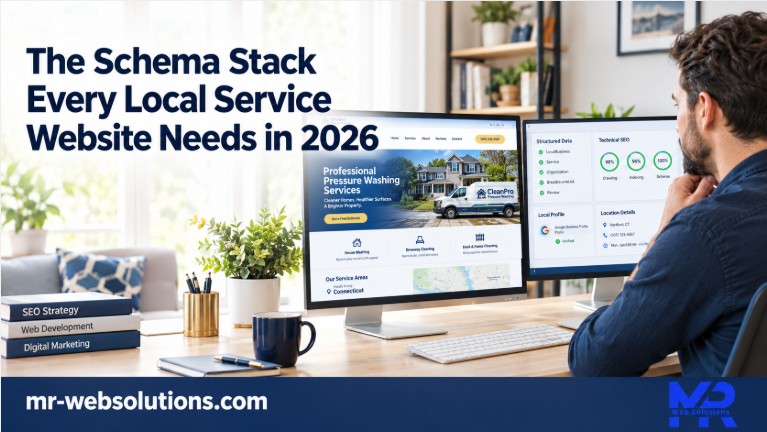
A homeowner in Wethersfield opens the Mr-Suds website and sees what we built: a clean page, a truck photo, a phone number and a list of towns. Google sees something else. It reads the schema stack, a block of code tucked into the page that says what kind of business this is, where it is, which number to call and which towns it serves.
Before a site we build goes live, we look at that second version. We run the homepage and a service page, such as the Hartford pressure washing page on the Mr-Suds site, through Google's Rich Results Test and read back what Google picks up. It is one of the quietest jobs in a build, and one of the easiest to get wrong.
For most home service companies, the list is short. Local business schema for the company, a few supporting types, and clean markup on service pages and blog posts.
This post covers which types a service business actually needs in 2026, what Google stopped showing this year, and how we set it all up in Rank Math on the WordPress sites we build. One honest note before we start: schema will not rank a weak site. What it does is remove doubt about a good one.
What is the schema stack for a local service website?
A local service website's schema stack is a small set of JSON-LD markup that tells Google who you are and what you do: LocalBusiness (with the closest subtype) on the home page, Organization details with logo and sameAs, WebSite, Service on each service page, BreadcrumbList sitewide, and BlogPosting with a Person author on articles.
The rest of this post walks through each layer, which page it belongs on, and what Google changed along the way.
Why does schema still matter for a home service business in 2026?
Schema is a label. Your page already says "pressure washing in Hartford" in words. Schema says the same thing in a format a machine reads without guessing.
Google is open about using it. Its introduction to structured data explains that markup helps it understand page content, and that it generally recommends JSON-LD when your setup allows it. That is the format we use on every build.
Google is just as open about the limits. Its Organization structured data guide states plainly that it does not guarantee features that use structured data will appear in results. Valid code is not a promise of anything.
So why bother? Three reasons.
- It removes doubt about the basics: business type, address, phone and service area.
- Some search features only work when the markup is there and correct, like breadcrumbs or video results.
- Once it is set up, it costs almost nothing to keep. It sits quietly under the site for years.
Think of it as part of the foundation. Nobody buys a house for the footings, but nobody wants a house without them either.
What schema can and cannot do for your calls
Here is the honest split we give owners.
Schema can:
- Confirm your business type, address, phone, logo and social profiles
- List the towns you serve
- Tie each service page back to your business
- Point to the real person who writes your articles
Schema cannot:
- Rank a thin page with two sentences of copy
- Put review stars next to your own website in Google
- Force a knowledge panel to appear
The part that ties straight to calls is the phone number. The number in your markup should match the number in your site header and on your Google Business Profile. When those three disagree, you are asking Google to guess, and guesses do not ring phones.
How is this different from entity SEO?
They are close cousins. Entity SEO is the bigger idea: your brand name, profiles and mentions staying consistent across the web so Google understands who you are. We cover that in our post on entity SEO for contractors.
This post is the code layer underneath. Which types, on which pages, with which properties. Entity SEO is the strategy. The schema stack is one of the tools that carries it out.
What changed in Google's structured data rules in 2026?
Search changes fast, and a lot of schema advice online is out of date. Here is what changed over the last few years, with each row sourced to Google.
| Date | What changed | Source |
|---|---|---|
| August 2023 | FAQ rich results limited to well known government and health sites | Google Search Central blog |
| September 13, 2023 | HowTo rich results fully removed from results | Google Search Central blog |
| November 29, 2024 | Sitelinks search box retired | Search documentation updates |
| January 22, 2025 | Breadcrumbs shown on desktop results only, not mobile | Search documentation updates |
| May 7, 2026 | FAQ rich results stop appearing in Google Search for all sites | Search documentation updates |
| June 15, 2026 | FAQ rich result documentation removed | Search documentation updates |
| July 24, 2026 | Review snippet guidelines add rules on fake and undisclosed incentivized reviews | Search documentation updates |
If an agency pitched you "FAQ dropdowns in Google" this year, this table is why they never showed up.
Is FAQ schema still worth adding?
Not for a rich result. Since May 7, 2026, FAQ rich results no longer appear in Google Search for any site.
That does not make FAQ content useless. Real questions with clear answers still help the people reading your page, and the text itself is still read by search systems. Keep your FAQ sections. Write them for the homeowner who wants to know if soft washing is safe for vinyl siding.
What about FAQPage markup already on your site? If it matches the visible questions and answers word for word, it does no harm. It is not an emergency removal. We simply no longer add it as a selling point, and we never promise dropdowns or extra space in results because of it.
What happened to HowTo schema?
It has been gone from results since September 13, 2023.
A page like "how to get your house ready for a wash" is still worth writing. It answers a real question and gives you something to send customers before the crew arrives. The HowTo markup on that page just no longer earns anything in Google.
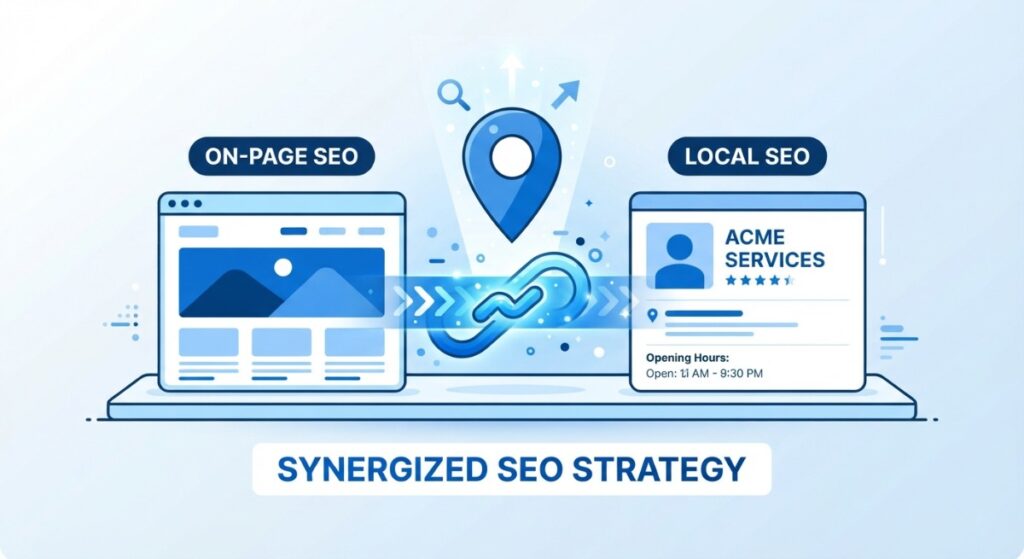
Which schema types make up the stack, and what goes in each?
A typical service site has fewer than ten types worth caring about. Each one has a job, a home on the site, and a handful of properties that matter.
Below, each type gets the same treatment: what it is, where it goes, the details that count, and a note from the Mr-Suds build where it applies.
LocalBusiness: which subtype fits a pressure washer, painter or plumber?
LocalBusiness is the core of the stack. It is the code that tells Google "this is a local company, here is its address, here is its phone."
Google's local business guidance asks you to use the most specific subtype you can. For home service companies, the family to look at is HomeAndConstructionBusiness. Under it, schema.org lists eight specific types:
- Electrician
- GeneralContractor
- HVACBusiness
- HousePainter
- Locksmith
- MovingCompany
- Plumber
- RoofingContractor
If you are a plumber, use Plumber. A painter, HousePainter. A roofer, RoofingContractor. Easy.
The trouble starts with everyone else. Pressure washing, soft washing, gutter cleaning, house cleaning and landscaping have no dedicated type. Owners often get stuck here, or a plugin leaves them on a generic Organization by default.
Our approach is simple. Use HomeAndConstructionBusiness, or plain LocalBusiness if that fits better, and let the business name, the description and the Service markup on each page say the rest. Google does not need a perfect label. It needs a correct one that agrees with everything else on the site.
The properties that actually matter
- name: the business name exactly as it appears on your Google Business Profile
- address: a PostalAddress with street, town, state and ZIP code
- telephone: the main number, with country and area code
- url: your homepage address
- logo and image: a real logo and a real photo of your work or truck
- openingHoursSpecification: your actual hours, only if you publish them
- geo: latitude and longitude of the business address
- priceRange: optional, and only if it reflects real pricing
- areaServed: the towns you serve
- sameAs: links to profiles you control
The rule under all of it is NAP consistency. Name, address and phone should read the same in your markup, on your website and on your Google Business Profile.
Mr-Suds example
Mr-Suds is a pressure and soft washing company based in Newington. Schema.org has no pressure washing type, so the choice sits between HomeAndConstructionBusiness and LocalBusiness.
For exterior cleaning companies like this one, we lean toward HomeAndConstructionBusiness. It tells Google the work happens at and around homes, and it keeps the company in the same family as the trades homeowners hire for their property. The service pages then make clear which exterior cleaning services the company actually provides.
Organization and sameAs: how do you tie your profiles together?
LocalBusiness is itself a type of Organization. On a single location service site, that means one node can carry both roles. You do not need a separate Organization block that describes the same company again.
What you do need are the Organization details. Google's Organization guide asks for a logo of at least 112x112px at a crawlable URL. A square version of your real logo works well.
Then there is sameAs. This property lists the other places your business lives online, such as:
- Your Facebook business page
- Instagram or YouTube, if you actually post there
- BBB, Angi or a similar profile you control
The point is to connect the dots, so Google can see that the company on your website and the company on Facebook are the same one.
The mistake we see most is two conflicting business nodes, often from a plugin and a theme both outputting their own version. One says Organization with an old phone. The other says LocalBusiness with the new one. Pick one source and switch the other off.
WebSite: what is it still for after the search box was retired?
WebSite markup used to power the sitelinks search box, the little search field that sometimes appeared under a brand result. Google retired that box in November 2024.
WebSite markup still has a job, though. Google's site names documentation says that to indicate your preferred site name, you add WebSite structured data to your home page. That is the name shown above your result, so it is worth getting right.
If your plugin still adds a SearchAction inside WebSite, it is harmless. It is just doing nothing.
Service: how should each service page be marked up?
Every service page gets one Service node. Not five. One page, one service.
The properties that matter:
- serviceType: the plain name of the service, like "Pressure washing"
- provider: a reference back to your LocalBusiness node by its @id
- areaServed: the town or towns this page covers
- description: a short summary that matches the page
- offers: a "from" price, but only if that price is visible on the page
On the Mr-Suds site, the pressure washing services in Hartford page and the soft washing services in Hartford page are each a clean fit for this. The service is clear, the town is clear, and the provider points back to one business.
One expectation to set. Service markup has no rich result of its own in Google. It will not change how your listing looks. What it does is make the relationship between your business, your services and your towns explicit instead of implied.
BreadcrumbList: why the simplest one still earns its place
Breadcrumbs show the path to a page, like Home > Services > Soft Washing > Hartford.
Since January 2025, Google shows breadcrumbs in results on desktop only. That is still a lot of homeowners searching from a work computer at lunch. On the site itself, breadcrumbs help people move back up a level without hitting the back button.
Rank Math outputs BreadcrumbList automatically once breadcrumbs are enabled in its settings. This is the easiest win in the whole stack.
Can you add Review and AggregateRating to your own site?
This is the question we get most, usually from owners who were promised gold stars in Google.
The short answer is no, not for your own business. Google's review snippet guidelines are direct about it. If the entity being reviewed controls the reviews about itself, pages using LocalBusiness or any other Organization markup are not eligible for star review snippets. The guidelines also say this applies to reviews added through an embedded third party widget.
The July 2026 update raised the stakes further. Markup must not include fake reviews or undisclosed incentivized reviews. Anyone still gaming review markup is now on thinner ice than before.
So what do you do with your proof? Show it. Mr-Suds earned a BusinessRate "Ranked #1" award, and its site shows Google reviews. Both belong on the page because homeowners read them and trust them. Neither belongs inside AggregateRating markup about the business itself.
Your stars live where they always have: on your Google Business Profile. If you want more of them, that is where the effort goes. Our guide on how to rank in the Google Map Pack covers the review side in detail.
ImageObject and VideoObject: do your job photos and videos need markup?
ImageObject is usually handled for you. Rank Math marks up the logo and the main image of each page without any extra work.
VideoObject deserves more attention. If a page hosts a real job video, like a before and after house wash or a roof soft wash, markup helps Google understand it as a video. Google's video structured data guide lists three required properties: a name, a thumbnail URL and an upload date.
Two practical rules from our side. Use a real frame from the job as the thumbnail, not a stock image. And give each video its own title, not "Video 1" and "Video 2."
Article, BlogPosting and Person: how does author markup support EEAT?
Every blog post should carry BlogPosting markup with an author. Google's article structured data guide recommends the Person type for individual authors, with a name and a URL that points to a page about that person.
On our own blog, that author is Shohanur Reza, and his name links to our About page. On a client site, the author is the owner or whoever actually writes the posts, with a short bio page to link to.
An honest note here. Author markup does not create expertise. It points to it. If the About page is empty and the post reads like it was written by nobody, the markup has nothing to point at.
What about areaServed for a service area business with no storefront?
Most home service companies work out of a shop, a home office or a truck, and drive to customers. areaServed is how the markup says where they drive.
Rank Math's guidance on service areas is clear and lines up with Google:
- List cities or postal codes
- Do not enter states, countries or a radius like "within 20 km"
- Keep it to 20 areas or fewer
- Stay roughly within a two hour drive of the business
For Mr-Suds, the list is the real service area: Newington as the home base, Hartford as the growth market, and the surrounding towns including Wethersfield, Rocky Hill, Middletown, Southington, Cheshire, Glastonbury, Bloomfield, Avon, Berlin, Cromwell, East Berlin, Farmington, Plainville, Portland, Simsbury and Wallingford. That is 18 towns, inside the limit.
The towns in your markup should match the towns on your location pages and the service area on your Google Business Profile. Keep the street address in the markup only if it is the real address shown on your profile.
Which schema goes on which page of a service website?
This is the page map we use on a typical 15 to 40 page service site. It is also the quickest way to check what your current developer set up.
| Page | Schema types | Notes |
|---|---|---|
| Home | LocalBusiness subtype (with Organization details), WebSite, WebPage, BreadcrumbList | Full NAP, logo, sameAs, areaServed |
| Service page | Service (provider points to the business), WebPage, BreadcrumbList | One service per page |
| Town page (for example, soft washing in Hartford) | Service with areaServed for that town, BreadcrumbList | No fake LocalBusiness per town without a real address there |
| Blog post | BlogPosting, Person author, BreadcrumbList, ImageObject | Author links to the About page |
| About page | AboutPage, Person for the owner and team | Real names and roles |
| Contact page | ContactPage, reference to the LocalBusiness | Same phone as the Google Business Profile |
| Video or project page | VideoObject or ImageObject | Real job media only |
Notice what is not here: a separate LocalBusiness block on every page, review stars on the homepage, or FAQPage markup across the whole site. Those are the three patterns we remove most often.
What does a real LocalBusiness JSON-LD block look like?
Here is a model built from the public business details on the Mr-Suds Google Business Profile. Hours are left out because we only publish hours the business has confirmed.
{
"@context": "https://schema.org",
"@type": "HomeAndConstructionBusiness",
"@id": "https://mr-suds.com/#business",
"name": "Mr-Suds Power Washing PROs",
"url": "https://mr-suds.com/",
"telephone": "+1-860-263-9031",
"address": {
"@type": "PostalAddress",
"streetAddress": "130 Dewey Ave",
"addressLocality": "Newington",
"addressRegion": "CT",
"postalCode": "06111",
"addressCountry": "US"
},
"areaServed": [
{ "@type": "City", "name": "Newington" },
{ "@type": "City", "name": "Hartford" },
{ "@type": "City", "name": "Wethersfield" },
{ "@type": "City", "name": "Rocky Hill" },
{ "@type": "City", "name": "Glastonbury" },
{ "@type": "City", "name": "Farmington" }
]
}
In plain English, line by line:
- @context tells Google this uses the schema.org vocabulary.
- @type is the business type, here HomeAndConstructionBusiness.
- @id is a unique label for this business, so other markup on the site can point to it instead of repeating it.
- name, url and telephone should match the profile and the site header exactly.
- address is the real street address from the Google Business Profile.
- areaServed lists towns as City entries. The full version carries every town the company serves, up to the 20 area limit.
On a live site you would also add the logo, an image, sameAs links to profiles the business controls, and confirmed hours.
Now here is how a Hartford service page points back to that business:
{
"@context": "https://schema.org",
"@type": "Service",
"serviceType": "Pressure washing",
"provider": { "@id": "https://mr-suds.com/#business" },
"areaServed": { "@type": "City", "name": "Hartford" },
"url": "https://mr-suds.com/pressure-washing-services-in-hartford/"
}
The provider line is the important one. It does not describe the business again. It simply says "this service is provided by that business," using the @id from the first block.
Compare these two blocks with what your own site outputs. If your homepage shows a generic Organization with no address, or your service pages carry nothing at all, you have found your starting point.
JSON-LD or microdata, which should you use?
JSON-LD. Google recommends it when your setup allows, and on WordPress it almost always does.
JSON-LD sits in one script block, separate from the design. Microdata is woven into the HTML of the page itself, which gets messy fast on Elementor sites where the layout changes often. With JSON-LD, a designer can rework the whole page without breaking the markup.
How do you set up the schema stack in WordPress with Rank Math?
Our client sites run on WordPress with Rank Math, so the steps below use its exact menu names. If you are on Yoast, the same ideas apply; the settings just live in different places.
Most of this is a one afternoon job.
Step 1: Turn on the Local SEO module and choose your business type
Go to Rank Math SEO, then Dashboard, and enable the Local SEO module. Then open Rank Math SEO, Titles & Meta, and the Local SEO tab. Rank Math documents the full flow in its Organization schema guide.
Choose Organization rather than Person. Then pick the most specific business type the list offers.
Fill in every field you can: business name, logo, URL, email, address and phone. Add your description. This one screen produces the LocalBusiness node for the whole site, so take your time here.
Step 2: Add social profiles for sameAs
Go to Titles & Meta, then Social Meta. Add your Facebook page and any other profiles in the additional profiles field.
Only add profiles the business actually controls and keeps up to date. A dead Twitter account from 2019 helps no one.
Step 3: Set Service schema on service pages
Open a service page in the editor, go to Rank Math's Schema tab and open the Schema Generator. It lists the schema types available in your version of the plugin.
If Service is in that list, add it and fill in the service type, the town and a short description. If your version does not offer it, the usual options are a custom schema in Rank Math PRO or a small JSON-LD block like the one above, added by whoever manages your site. Either way, one Service per page.
Step 4: Article schema and author for blog posts
Go to Titles & Meta, then Posts, and set the default schema type to Article with the Blog Post option.
Then go to Users in WordPress and complete each author profile with a real name, a short bio and a link. That is the Person information Rank Math pulls into the author markup.
Step 5: What about multiple locations?
Rank Math's multiple locations feature is available only in Rank Math PRO. It is built for businesses with more than one real address, like a company with shops in two cities.
A single shop serving many towns does not need it. areaServed on the business node, plus a solid page for each town, does the job.
How do you test and monitor your schema?
Three free tools cover everything.
- Rich Results Test: shows which Google search features a page is eligible for, based on its markup. This is the test we run on the homepage and a service page before every launch.
- Schema Markup Validator: checks all schema.org markup, including types like Service that have no Google feature. If something does not show in the Rich Results Test, check here.
- Google Search Console: after launch, the Enhancements section shows valid items and errors for features like breadcrumbs across the whole site.
A good habit is to test again after any big change: a new theme, a new plugin, a page builder update or a change of address.
What errors do we see most on Hartford County service sites?
A typical case looks like this. An owner inherits a site from a previous developer. The homepage shows five gold stars in its markup that never appear in Google. Every page has FAQ markup, some of it for questions that are no longer on the page. The phone number in the code is the old one from before they switched carriers.
None of it is dramatic. All of it is noise. Here is the cleanup checklist we work through:
- Generic Organization type left by default instead of a LocalBusiness subtype
- Phone number in the markup different from the Google Business Profile and site header
- AggregateRating stars added to the business's own pages, sometimes by a review widget
- FAQPage markup on every page, sometimes not matching the visible text
- Duplicate business nodes from two plugins, such as Rank Math plus a theme or Elementor addon
- areaServed set to "Connecticut" or a radius instead of towns
- An old address left in place after a move
Does schema help you show up in AI Overviews and AI Mode?
This is where a lot of articles overreach, so we will stick to what Google says.
Google's guidance on AI features and your website says: "There's also no special schema.org structured data that you need to add." In other words, there is no secret AI markup.
The same page lists a good practice that matters here: make sure your structured data matches the visible text on the page. That is the real lesson. Schema helps when it agrees with everything else.
So we treat it as one part of clear business information. The same name, type, phone and towns on your site, in your markup and on your Google Business Profile. When every source tells the same story, any system reading it has less to guess about.
For more on how search is shifting locally, see our post on how AI Overviews are changing home service search in Connecticut. For Mr-Suds, we describe this as a foundation built and tested, not a promise of AI mentions.
What does this look like for a Hartford area service business?
Here is the whole stack on one real site.
Mr-Suds is based at 130 Dewey Ave in Newington. Newington is home base. Hartford is the growth market. The service area covers 18 towns across Hartford County and beyond.
The business node. One LocalBusiness node on the homepage, using the HomeAndConstructionBusiness family, with the same name, phone and address as the Google Business Profile.
The towns. areaServed lists the real towns, the same ones on the site and the profile. No "Connecticut," no radius.
The service pages. Pages like pressure washing in Hartford and soft washing in Hartford each carry their own Service markup, pointing back to the one business. No fake LocalBusiness for Hartford, because there is no Hartford address.
The proof. The BusinessRate award and the Google reviews stay visible on the page for homeowners. They are not wrapped in AggregateRating markup.
The blog. Articles carry BlogPosting markup with a real author.
The check. Before launch, the homepage and a Hartford service page go through the Rich Results Test, so we see what Google reads before any customer does.
Timing matters too. In New England, homeowners search for house washing in spring and gutter cleaning before winter. The service pages, and the markup on them, need to be in place before those rushes start, not in the middle of them.
Schema is one layer of the bigger picture we describe in our pressure washing SEO guide. You can see more of the sites we have built on our recent projects page.
If you want to know what Google reads on your site today, our free growth audit includes a schema check alongside your Google Business Profile and site speed.
Should you do this yourself or hire someone?
Here is the honest split.
You can likely do it yourself if:
- You have one location
- Rank Math is already installed and working
- Your site has 10 to 20 pages with clear service pages
It is worth bringing in help if:
- You are rebuilding the site anyway
- Two plugins or a theme are fighting over your markup
- You have more than one real location
- Your site does not have proper service and town pages yet
That last one is the big one. Shohanur Reza, our founder, has built WordPress and Elementor sites for more than six years, and his view is consistent: schema is part of the build, not an add on bolted on later. When a site lacks clear service pages, the problem is the structure, not the code. Markup cannot describe pages that do not exist.
If that is where you are, our website design in Hartford service covers the full rebuild, and our SEO services in Hartford cover the ongoing work. Pressure washing owners can see the complete setup on our digital marketing for pressure washing companies page.
Frequently asked questions
What schema should a local business website have?
Most service businesses need a LocalBusiness subtype with Organization details on the homepage, WebSite markup, a Service node on each service page, BreadcrumbList across the site, and BlogPosting with a Person author on articles. The page map above shows where each one goes on a typical 15 to 40 page site.
Does schema markup help local SEO rankings?
Not as a direct boost. Schema helps Google confirm your business type, address, phone and service area, and some search features depend on it. Google itself says valid markup does not guarantee those features will appear. Think of it as removing doubt, not as a shortcut to the top.
Is FAQ schema still worth adding in 2026?
Not for a rich result. Google stopped showing FAQ rich results for all sites on May 7, 2026. Keep visible FAQ sections, because people read them and search systems read the text. Existing FAQPage markup is optional and harmless as long as it matches the questions and answers on the page.
Can I show review stars from my own website?
No. Google's review snippet rules say that when a business controls the reviews about itself, pages using LocalBusiness or Organization markup are not eligible for stars. That includes reviews pulled in through a widget. Show your reviews as proof on the page, and build your stars on your Google Business Profile.
What is the best schema type for a pressure washing company?
Schema.org has no dedicated pressure washing type. Use HomeAndConstructionBusiness or plain LocalBusiness, then let your business name, description and Service markup on each page explain what you do. The same applies to cleaning, gutter and landscaping companies without a specific type of their own.
What is areaServed?
areaServed is the property that lists the places your business serves. Use cities or postal codes, not states or a radius, and keep it to 20 areas or fewer. The towns should match your location pages and the service area on your Google Business Profile, such as Hartford, Newington and Wethersfield in Connecticut.
Does Rank Math add LocalBusiness schema automatically?
Only after you set it up. You need to enable the Local SEO module and choose your business type under Titles & Meta, Local SEO, then fill in your details. Until then, many sites output a generic Organization. The multiple locations feature for businesses with several real addresses requires Rank Math PRO.
How do I test my schema?
Run your pages through Google's Rich Results Test to see which search features they qualify for. Use the Schema Markup Validator to check all schema.org types, including ones Google does not show as features. After launch, watch the Enhancements section in Google Search Console for errors across the whole site.
Does schema help with AI Overviews?
Google says there is no special schema.org markup needed for its AI features. What helps is consistency: the same business facts on your site, in your markup and on your Google Business Profile, with structured data that matches the visible text. Schema supports that clarity. It is not a separate AI switch.
Should every page have LocalBusiness schema?
No. Your business should be described once, on the homepage, with a unique @id. Service pages carry Service markup that points back to that business, and blog posts carry BlogPosting. Repeating a full business block on every page, or creating one per town without a real address, only adds confusion.
Conclusion: a short stack that supports a good site
The schema stack for a local service website is short. LocalBusiness with the right subtype, Organization details, WebSite, Service on each service page, BreadcrumbList and BlogPosting with a real author. Most of it lives in a few Rank Math screens.
What changed recently matters just as much. FAQ rich results ended on May 7, 2026. HowTo is long gone. Review stars on your own site were never allowed.
Markup supports a site that already explains the business well. It does not replace one.
If you would like us to look at yours, book a call with our Hartford team or reach us at +1 (860) 255 1070. And once the site starts earning calls, our AI Receptionist, with a 14 day free trial, makes sure they get answered.