By the MR Web Solutions team, Hartford, CT
It is a normal weekday morning, and we open the Mr-Suds subaccount in our own white label CRM at app.mr-websolutions.com. The contact count reads 474. The first things we check are simple. Which leads came in overnight? Which quotes have gone quiet?
You missed the call. Your competitor answered. That one line is the reason a pressure washing company in Newington, or any home service business, needs a system that catches every lead.
Every column, tag and follow up text in a setup like that started life as a template. In GoHighLevel, that template is called a snapshot.
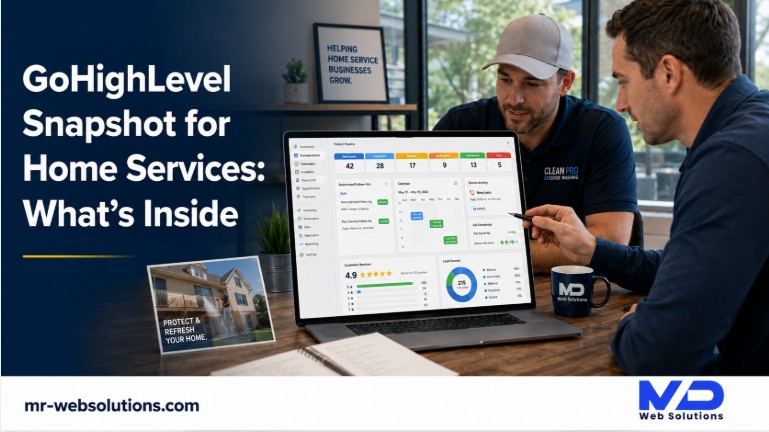
This article is an honest tour of a GoHighLevel snapshot for home services. What is inside it, what is not, and what it takes to make one actually book jobs for a business in Hartford County. You can also see projects we have built to get a sense of the full systems behind it.
What is a GoHighLevel snapshot?
A GoHighLevel snapshot is a reusable template of a HighLevel subaccount's setup. For a home service business, it loads pipelines, custom fields, tags, forms, booking calendars, workflows, funnels, email and text templates, AI agents and dashboards in minutes. It does not bring contacts, conversations or approvals, so it still needs setup.
A quick note on names. GoHighLevel and HighLevel are the same platform; its own help docs use "HighLevel." The official snapshots overview describes snapshots as reusable templates that capture selected setup assets from one subaccount, so they can be copied into new or existing ones.
In plain words: a snapshot is the furniture and wiring for a CRM account. It is not the people, the phone line or the conversations.
Where does a snapshot come from, and who can load it?
GoHighLevel works in two layers. An agency account sits on top, and each business gets its own subaccount underneath. Agencies build snapshots in one subaccount, then load them into others.
Many agencies run GoHighLevel under their own brand, which is called white label. Ours is at app.mr-websolutions.com, and that is where the Mr-Suds subaccount lives.
A snapshot can be loaded when a new subaccount is created, or applied to an existing one later. HighLevel's guide on creating a subaccount from a snapshot covers both.
Does a snapshot update itself after it is loaded?
No. If an agency improves its snapshot, nothing changes in your account automatically. The agency has to refresh the snapshot to save a new version, then push that update to the accounts that use it.
HighLevel's version management guide also notes that the version history is informational. There is no built in one click restore. That is one more reason a snapshot works best with someone who maintains it.
What is inside a GoHighLevel snapshot for home services?
HighLevel's official asset list is long. For a home service business, these are the parts that matter:
- Pipelines: the stages a lead moves through, from first call to booked job
- Custom fields, custom values and tags: the details you track about each lead
- Forms and surveys: how quote requests come in
- Calendars: for estimates and jobs
- Workflows: the automation, like instant texts and reminders
- Funnels and websites: landing pages
- Text and email templates: the messages your automations send
- Voice AI agents and Conversation AI: the AI answering layer
- Review settings and dashboards: reputation and reporting
Here is each one, in home service language.
What pipeline stages does a home service snapshot use?
A pipeline is a board of columns. Each lead is a card, and the card moves right as the job gets closer. Each card is called an opportunity, and it can carry a value, like the quote amount.
For quote based home service work, we start with six stages:
- New Lead: a form, call or message just came in.
- Contacted: someone replied or spoke with the lead.
- Estimate Scheduled: an on site estimate or photo review is booked.
- Quote Sent: the price is in the customer's hands.
- Won: the job is booked.
- Lost: the customer declined or went silent after follow up.
The Quote Sent column usually needs the most attention. That is where good leads quietly die if nobody follows up. For pressure washing, roofing and painting, where many jobs need a quote before a yes, that stage is the heart of the board.
When we look at the Mr-Suds subaccount each morning, the questions follow the same flow: what is new, who still needs a reply, which estimates are coming up, and which quotes have gone quiet.
What moves a lead from one stage to the next?
Triggers. A trigger is an event that tells the system to do something. Common ones in a home service setup:
- A form is submitted, so a card lands in New Lead
- The lead replies, so the card moves to Contacted
- An appointment is booked, so it moves to Estimate Scheduled
- A "quote sent" tag is added, so it moves to Quote Sent and starts follow up
- The job is marked won, so it moves to Won and starts the review request
Should residential and commercial jobs share one pipeline?
Usually not. Residential and commercial buyers move at different speeds and need different follow up. A homeowner may book within days. A property manager may take weeks. We explain why in our post on residential and commercial funnels.
Which custom fields and tags should be set up?
Custom fields are the details you store about each lead. For a home service business, these are the ones we rely on:
- Service type, such as house washing, roof cleaning or gutters
- Property type, residential or commercial
- Town
- Address
- Surface or roof type
- Square footage
- Lead source
- Quote amount
- Preferred contact time
- Photos
Tags are quick labels. Useful ones include source tags (Google, Facebook, referral), service tags, town tags, "review requested," "reactivation" and "do not contact."
Custom values are different. They store details used inside templates, like your business name, phone number and Google review link. Change a custom value once, and every message that uses it updates.
What forms and surveys come with it?
A good home service snapshot usually includes:
- A quote request form
- A short multi step survey that asks a few qualifying questions
- A photo upload, so customers can send pictures of the house or deck
- Code to embed the form on your website
Forms are also where texting compliance starts. HighLevel's guide to getting your number A2P approved sets clear rules for consent checkboxes:
- Separate checkboxes for marketing and non marketing messages
- Boxes cannot be checked by default
- Ticking them is optional, even if the phone number is required
- Privacy Policy and Terms links in every form's footer
A snapshot can include the form. Making sure it meets these rules on your live website is part of setup.
How are the booking calendars set up?
Most home service businesses need at least two calendars:
- An estimate calendar for site visits or quote calls
- A service calendar for the actual jobs
If you have several crews or estimators, round robin booking spreads appointments between them. Buffer time matters too. A crew finishing in Glastonbury needs time to cross I-84 or I-91 before an estimate in West Hartford, so the calendar should leave room for the drive.
Which workflows matter most for a home service business?
A workflow is a set of steps the system runs on its own: a trigger, then actions. A home service snapshot can include dozens. Six do most of the work.
Speed to lead text
The moment a form comes in, the system sends a text, assigns the lead to someone, and creates a card in the pipeline.
Speed matters. Research published in Harvard Business Review on the short life of online sales leads found that most companies are not responding nearly fast enough. An instant text tells the homeowner a real business saw their request, while they are still looking.
Missed call text back
This is the one that saves the most jobs. When a call goes unanswered, the system sends a text from your business number, so the caller knows you saw it.
Picture an owner on a roof in West Hartford. The phone rings out. Within seconds, the caller gets a text from the same number. Instead of calling the next company on Google, they reply.
HighLevel explains the setup in its missed call text back guide. It lives under Settings, Phone System, Voice, then Voicemail and Missed Call Text Back. The number must be eligible to send texts, which for local numbers means A2P registration. A ring timeout of 10 to 20 seconds is typically recommended. Do not disturb settings are always respected.
Quote follow up
When a card moves to Quote Sent, a short sequence starts. A day later, then three days, then a week. Each message is short, and the sequence stops the moment the customer replies.
This is the workflow that rescues the quiet quotes in that Quote Sent column. It does not need to be pushy. A friendly check in usually does the job.
Appointment reminders
When an estimate or job is booked, the customer gets a confirmation right away and a reminder before the visit, with a link to reschedule. Fewer no shows, fewer wasted drives.
Review request
After a job is marked won, the customer gets a request to leave a review on Google.
Here is where many snapshots get it wrong. Some send happy customers to Google and unhappy ones to a private form. That is called review gating, and it is risky. Google's content policy says businesses must not selectively solicit positive reviews from customers. The FTC's guidance on reviews says this practice could violate the FTC Act.
The safe approach is simple: ask every customer, with the same link.
Reactivation
Past customers are tagged by service and date. Then the system sends seasonal messages at the right time: a spring house wash reminder, a fall gutter cleaning reminder, a note during the slow winter months. The customers already know you, so these are often the easiest jobs to book.
What funnel and website pages are included?
A home service snapshot often includes a service landing page, a quote page, a thank you page and a review page.
One catch: per HighLevel's subaccount guide, funnels and websites arrive as drafts. They are not live until you connect a custom domain and publish them.
Many businesses keep their main website on WordPress and simply embed the GoHighLevel forms there. That is often the better choice, because the main site keeps its SEO and design while every form still feeds the pipeline. We build sites that way through our website design in Hartford work.
What email and SMS templates come with it?
Snapshots usually include templates for every workflow: the first reply, quote follow ups, reminders, review requests and seasonal messages.
Every template needs editing. A few rules we follow for texts:
- Keep them short and human
- Name the business in the message
- Include opt out wording, such as "Reply STOP to opt out," where required
- Never send at odd hours
A template that says "Hi {name}, thanks for contacting {company}!" is a starting point, not a finished message.
Does a snapshot include Voice AI or Conversation AI?
It can. Voice AI agents and Conversation AI are on HighLevel's official list of snapshot assets. That means the agent's setup and instructions can come across.
What does not come across is the phone number assigned to the Voice AI agent. That has to be set up in each account, along with training the agent on your services, towns and prices.
You also choose how the AI answers. HighLevel's guide to inbound call routing explains two modes. The AI can answer calls directly, or act as a backup that only picks up when nobody else answers. For many home service owners, backup mode is the comfortable place to start.
One Connecticut note. AI answering usually records calls. Under Connecticut's civil statute, Conn. Gen. Stat. 52-570d, recording a phone call without the consent of all parties can create liability. The RCFP Connecticut guide notes that a recorded warning at the start of the call is one accepted form of consent. A short "this call may be recorded" line in the greeting is the simple fix.
What about reputation management and reporting dashboards?
Reputation: review settings come across with a snapshot. Your reputation data, meaning the actual reviews and history, does not.
Reporting: dashboards, custom reports and custom metrics come across. Private dashboards do not.
The most useful report for a home service owner is lead source attribution. It shows which leads came from Google, your website, Facebook or referrals, so you can see what your marketing actually brings in. In a fresh snapshot, those widgets are empty until real leads flow through.
If you want to hear the AI answering part working before deciding on anything else, our AI Receptionist with a 14 day free trial goes live in about 3 days.
What does a GoHighLevel snapshot not include?
This is the part most snapshot sellers skip. HighLevel's snapshots overview lists common items that do not transfer:
| Does not transfer | What it means for you |
|---|---|
| Contacts | Your customer list must be imported separately |
| Appointments | Existing bookings stay where they are |
| Conversations, conversation history and messages | Past texts and emails do not move over |
| Reputation data | Your review history does not move over |
| Stripe and other third party connections | Payments and integrations must be reconnected |
| Assigned phone numbers for Voice AI agents | The AI needs its own number set up |
| Private dashboards | Personal reports must be rebuilt |
| WordPress plugin or theme licenses | These need to be reauthorized |
| WhatsApp, before Meta approval | WhatsApp only works after Meta approves it |
In short, a snapshot brings the structure. Your data, connections and approvals still need work.
Why are texts not sending after the snapshot loads?
This is the most common surprise. The workflows are there, the templates are there, and nothing goes out.
The reason is usually A2P 10DLC. That is the carrier registration process for business texting from regular local numbers. HighLevel's A2P guide explains it in two parts. The brand answers who is sending messages. The campaign explains what is being sent.
Carriers make the final decision. They want to see a live, public website with accessible Privacy Policy and Terms pages. Once approved, your number shows a green "A2P Verified" label. If a campaign is rejected, you fix the issues and resubmit.
HighLevel's A2P fee guide lists the costs:
| Item | Fee |
|---|---|
| Brand registration, Sole Proprietor or Low Volume Standard | $22.50 one time |
| Brand registration, High Volume Standard | $64.00 one time |
| Each additional campaign vetting | $15.00 |
| Standard campaign | $10.00 a month |
| Sole Proprietor campaign | $2.00 a month |
A snapshot cannot do this registration for you. It is tied to your business, so it has to be done in your account.
Snapshot vs done for you setup: what is the difference?
| Item | Snapshot only | Done for you setup |
|---|---|---|
| Pipelines, fields, tags | Generic template | Renamed to match how your jobs move |
| Copy in texts and emails | Placeholder style wording | Your services, towns, prices and voice |
| Phone number and A2P | Not included | Registered, verified and tested |
| Missed call text back | Built, but off until the number is eligible | Live and tested with a real call |
| Website forms | Draft funnel pages | Forms embedded on your site with consent boxes |
| Voice AI | Agent template | Trained on your services, set as backup or first answer |
| Reviews | Template request | Your Google review link, sent to every customer |
| Dashboards | Empty widgets | Lead source tracking that matches your marketing |
| Training | None | Your team knows where to look each morning |
A snapshot is real value. It saves hours of building. But it is a template, and a template does not answer the phone. The setup is what makes it send texts, book estimates and show you which marketing works.
For owners in Hartford County, that is usually the deciding question. Do you have the time to register your number, rewrite every template, test every workflow and train your team? If yes, a snapshot is a great head start. If not, a done for you setup gets you to the same place without the learning curve.
What can a snapshot not do on its own?
Here is the honest list:
- It cannot create leads. Traffic comes from your Google Business Profile, your website and your ads. Our local SEO in Hartford work and our guides on ranking in the Google Map Pack and pressure washing SEO cover that side.
- It cannot answer for you until a number is registered and the AI is trained.
- It cannot write your offer. Your prices, guarantees and personality are yours.
- It cannot make your team use it. If nobody opens the pipeline, it is just a pretty board.
- It cannot fix a slow website. A form on a page that takes ten seconds to load still loses people.
That is why our founder, Shohanur Reza, set a simple rule for how we work: we do not hand over a template without setting up the phone number, the A2P registration and a real test of every workflow. A snapshot that is never switched on helps nobody.
What does this look like for a Hartford County home service business?
Here is one lead's journey through a typical home service setup. The example is illustrative, not a specific customer:
- After hours request. A homeowner in Wethersfield fills out the quote form at 8 p.m. on a Tuesday.
- Speed to lead. Within a minute, they get a text from the business number confirming the request. A card lands in New Lead.
- Estimate booked. They reply and pick an estimate time from the calendar link. The card moves to Estimate Scheduled, and a reminder goes out the day before.
- Quote sent. After the visit, the quote goes out, and the follow up sequence starts.
- Job won. The homeowner books. The card moves to Won.
- Review request. After the job, they get a request to leave a Google review, like every other customer.
- Reactivation tag. Their contact is tagged for a reminder next spring.
That is the whole idea: every lead gets a reply, every quote gets a follow up, and every customer gets asked for a review. For the wider marketing side, see our page on marketing for pressure washing companies in Connecticut.
How does seasonality in Connecticut change the workflows?
Connecticut seasons shape what the system should say and when:
- Spring and summer: exterior cleaning demand peaks, so speed to lead and missed call text back matter most.
- Fall: gutter and roof season, so reactivation messages should go to past gutter customers before the leaves drop.
- Winter: New England winters and nor'easters slow exterior work, which makes reactivation and planning for spring more valuable.
The same snapshot can run all year. The messages and timing change with the season.
How would a cleaning company or roofer adjust the same snapshot?
The structure stays. The details change.
A cleaning company usually adds a recurring service calendar and a walkthrough stage for larger homes or commercial spaces. We see this pattern with cleaning businesses we work with, like Bridge Bright Cleaners and Pro Alliance Cleaning.
A roofing or coatings company usually needs a longer quote stage, because decisions take more time and often involve more than one visit. We see that with Rhino Shield, an exterior coatings business we work with.
Checklist: what to do the first week after a snapshot loads
- Connect your domain and publish the pages you will use.
- Buy a local number or port your existing one.
- Submit your A2P brand and campaign registration.
- Rename the pipeline stages to match how your jobs really move.
- Fill in your custom values: business name, phone, review link.
- Edit every text and email template.
- Set your calendar availability and drive time buffers.
- Connect your Google Business Profile and Facebook page.
- Choose your Voice AI mode: answer directly or act as backup.
- Test every workflow with a real phone.
- Show your team where to look each morning.
Frequently asked questions
Are GoHighLevel snapshots free?
Some are. Agencies and vendors offer snapshots for free, and others sell them as a one time purchase, with prices that vary widely. The file itself is rarely the expensive part. The value comes from the setup: registering your number, rewriting the messages and testing each workflow.
How much does a GoHighLevel snapshot for home services cost?
There are three parts. The snapshot file, which ranges from free to a one time purchase. The GoHighLevel subscription or an agency plan to run it. And A2P texting fees, such as a one time $22.50 brand registration and $10 a month for a standard campaign. Our growth systems start from $90 a month.
Can I load a snapshot into my existing GoHighLevel account?
Yes. Snapshots can be applied to existing subaccounts, not just new ones. Review overlapping items carefully first, because a loaded snapshot cannot be removed in one step. Anything you do not want has to be edited or deleted one item at a time.
Will my contacts transfer with the snapshot?
No. Contacts, appointments, conversations and messages never transfer with a snapshot. Your contacts need to be imported separately, usually by uploading a spreadsheet or connecting another tool. The snapshot only brings the structure your contacts will move through.
How long until the snapshot is working?
Loading a snapshot takes minutes. Texting has to wait for A2P carrier approval, which can take days. A full setup depends on how long it takes to rewrite the messages and test every workflow. Our AI Receptionist, for comparison, goes live in about 3 days.
Does the snapshot include an AI receptionist?
It can include Voice AI agent templates and Conversation AI. But the phone number assigned to the Voice AI agent does not transfer, and the agent needs training on your services, towns and prices. Each account also needs to choose whether the AI answers first or only as backup.
Is it legal to text leads automatically in Connecticut?
Texting leads generally requires documented consent, and texting from local numbers requires A2P registration. Follow HighLevel's opt in rules on your forms, include opt out wording, and respect do not disturb settings. For anything legal, talk to your attorney.
Can a snapshot ask only happy customers for reviews?
It should not. Google's policy says businesses must not selectively solicit positive reviews from customers, and the FTC says review gating could violate the FTC Act. The safe setup sends the same review request to every customer after every job.
Do I need GoHighLevel if I already use Jobber or Housecall Pro?
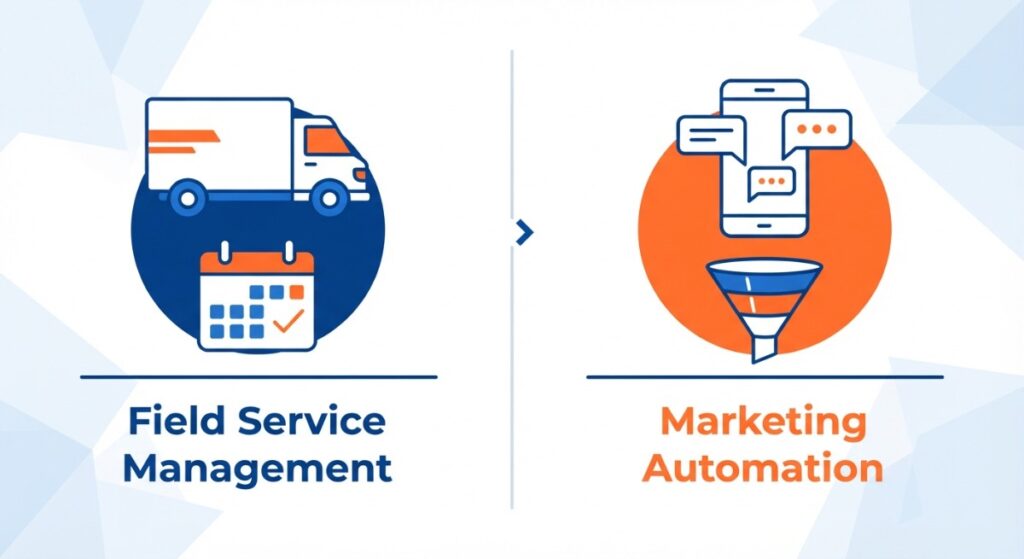
They do different jobs. GoHighLevel covers lead capture and follow up: forms, texts, calls, pipelines and reviews. Job management software runs scheduling, crews and invoicing. Many home service businesses use both. Our post on how GoHighLevel compares to other CRMs goes deeper.
Want this set up and running for your business?
The Mr-Suds subaccount is a good reminder of what this is really about. The tool is not the goal. Every lead getting a reply is the goal, whether the crew is on a ladder or the call comes in at 8 p.m.
If you want help getting there, book a call or ask for a free growth audit of your current GoHighLevel or CRM setup. You can also start our AI Receptionist with a 14 day free trial, or read what our clients say.
Visit us at 375 Wethersfield Ave, Hartford, or call (860) 255 1070.